
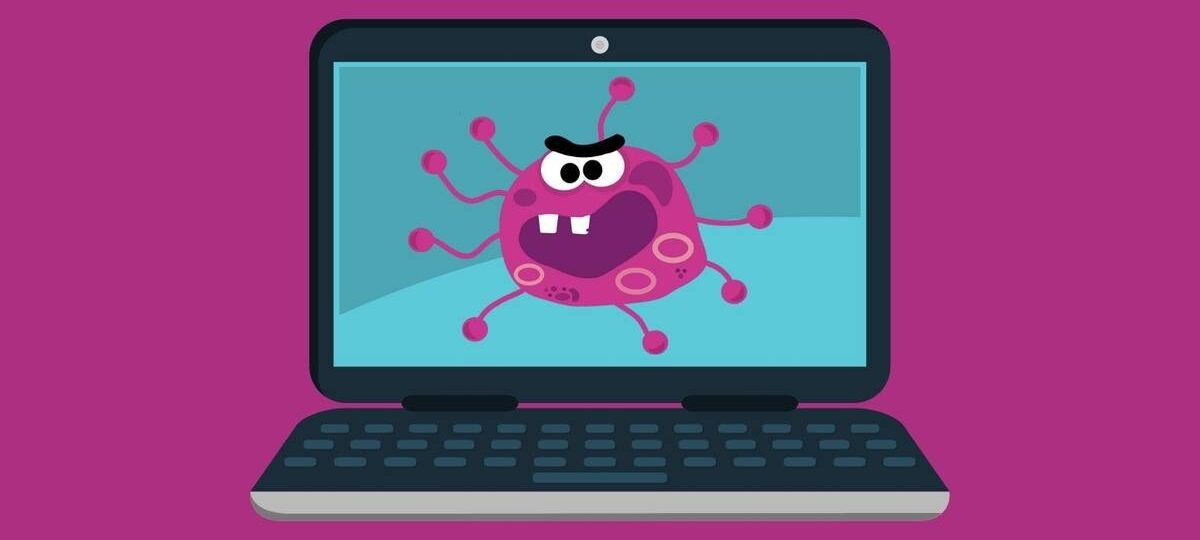
How to tell if your laptop has a virus
How to Know If Your Laptop Has Caught a Virus—and What to Do About It
Since the dawn of the digital age, computer viruses have been sneaking in like uninvited guests at a party. The first notorious malicious software, known as Brain, appeared way back in 1986, and since then, these pesky invaders have been a nightmare for almost every computer user. Sometimes they completely disable your device, turning your laptop into an expensive paperweight, but more commonly, they just slow things down or quietly swipe your personal information. Don’t panic if you’re worried your laptop might be infected—there’s plenty you can do to kick those viruses to the curb.
If you’ve spent any time online since 2020, you’ve probably noticed how the concept of viruses—both biological and digital—has become more relatable. Just like the flu or COVID-19, computer viruses spread quickly, hopping from one machine to another, wreaking havoc along the way. When your laptop is “sick” with a virus, it might behave sluggishly, take ages to complete simple tasks, and generally feel under the weather.
What Are Computer Viruses Really Up To?
Computer viruses are sneaky little programs that replicate themselves and spread across your operating system and network. While they do this, they can cause all sorts of problems: corrupting files, deleting important data, slowing down your hard drive, and sometimes even crashing your whole system. The worst part? Some viruses create secret backdoors that allow cybercriminals to access and steal your sensitive information without you knowing.
Thinking your computer might have caught a virus? You’re not alone, and the good news is, with the right knowledge and tools, you can protect your laptop and your data.
How Do Viruses Get on Your Computer in the First Place?
Most viruses hitch a ride on files you download or programs you install. Pirated movies, free games from sketchy sites, or emails that look a bit fishy often carry viruses. Ever clicked on a weird link or opened a strange attachment? That’s a common way viruses sneak in. Scam websites and infected USB sticks can also be culprits. It’s like leaving your front door open and an unknown visitor just helping themselves to your stuff.
Signs Your Laptop Might Have a Virus
Here are some red flags that suggest your laptop could be under attack:
– Your laptop suddenly feels like it’s running through molasses—startup or launching apps take forever.
– Unexpected shutdowns or restarts that happen out of the blue.
– Files mysteriously disappear or become corrupted.
– Your system crashes more often than a roller coaster ride.
– A barrage of strange error messages showing up.
– Pop-up windows that just won’t quit.
– New apps or browser toolbars appearing even though you didn’t install anything.
– The internal fan sounds like a jet engine, even when you’re barely using your laptop.
– Emails getting sent from your account without your permission (yikes!).
– Web browsers acting weird—slow, lagging, or redirecting constantly.
– Your antivirus or firewall suddenly stops working correctly.
What To Do If You Suspect a Virus
If your laptop is pulling any of the above stunts, act fast! Here’s what you can do to save your device and your sanity:
1. Run a Full System Scan:
Boot up your antivirus program and run a thorough scan. Most antivirus tools guide you through fixing any problems they find. Don’t forget to schedule regular automatic scans—catching issues early is key!
2. Restore From a Previous Backup:
If the virus won’t budge, consider rolling your laptop back to a backup from before the trouble started. After restoring, scan again to make sure the coast is clear.
3. Delete Temporary Files:
Temporary cache and junk files can sometimes harbor malware. Clearing these out (the method depends on your operating system) can help. A quick online search tailored for your specific laptop model will lead you to step-by-step guides.
4. Boot into Safe Mode:
Safe Mode lets you run your laptop with only essential programs, making it easier to remove stubborn viruses causing the trouble.
5. Reinstall Your Operating System:
If all else fails, reinstalling your OS is the nuclear option. This wipes everything (including the virus but also your personal files), so make sure your important data is backed up. If this sounds daunting, professional technicians at local computer shops can often help—sometimes even for free.
Understanding the hard truth: the only surefire way to eliminate a virus once and for all is by reformatting your hard drive and reinstalling your operating system. But don’t let that scare you out of taking action early, as many infections can be dealt with using antivirus software or Safe Mode cleanup.
Top Tips to Prevent Computer Viruses
As with your health, preventing digital infections is easier than curing them. Here’s my take on keeping your laptop healthy:
– Arm Yourself With Good Antivirus Software:
Install reputable antivirus software the moment you start using a new device, and keep those automatic scans running regularly.
– Master the Core 4 Security Habits:
– Use long, complex passwords (think 12+ characters) that are unique for every account. Password managers like LastPass or Bitwarden are lifesavers for this.
– Turn on two-factor authentication (2FA) whenever possible—it’s like a double lock on your accounts.
– Enable automatic updates for your OS, apps, and devices to patch security holes.
– Learn to spot phishing attacks—don’t click shady links or open suspicious attachments!
– Be Wary of Public Wi-Fi:
Coffee shop or airport Wi-Fi might be free but often aren’t secure. Consider using your mobile hotspot or a VPN, which encrypts your connection so hackers can’t eavesdrop.
– Download Software Only From Trusted Sources:
Avoid the temptation to pirate software, movies, or games. That “free” download might cost you way more if it infects your laptop. Stick to official app stores and verified websites.
Your laptop is a valuable companion—treat it like you would your own health. Keep up good habits, stay alert to warning signs, and don’t hesitate to seek tech help when needed. A little care today can save you hours of headaches tomorrow.
📞 Phone / Call +256700393395 or WhatsApp +256700393395
🌍 Available in: Kampala Uganda